
1. Master One Editing Software Only
Doesn’t matter if you’re using Premiere Pro, CapCut, or Canva — pick one and master it like your life depends on it.
✦ Tip: If your computer is weak, CapCut is more than enough. Want to go pro? Premiere is your friend.

2. Learn to “Cut Without Cutting”
“Cut without cutting” means transitions are smooth — no abrupt jumps, no visual headaches.
⟶ Practice like this:
- Use consecutive scenes with visual or emotional continuity (same setting, same action).
- Apply light zooms, fades, or cut directly to beat drops or voice transitions.

3. A Solid Script = A Smooth Edit
No script = endless editing.
⟶ Your structure must include:
- Intro (hook curiosity, invite viewers in)
- Body (clear, logical flow)
- Outro (call to action or emotional closure)
This is basic but vital for anyone doing YouTube for beginners.

4. Copy the Best — But Don’t Clone
Don’t steal. Reverse-engineer. Watch the top 3 YouTube channels, analyze their top 3 videos, absorb their essence — then craft your own unique style.
This approach is gold for youtube for beginners wanting to grow fast without losing originality.
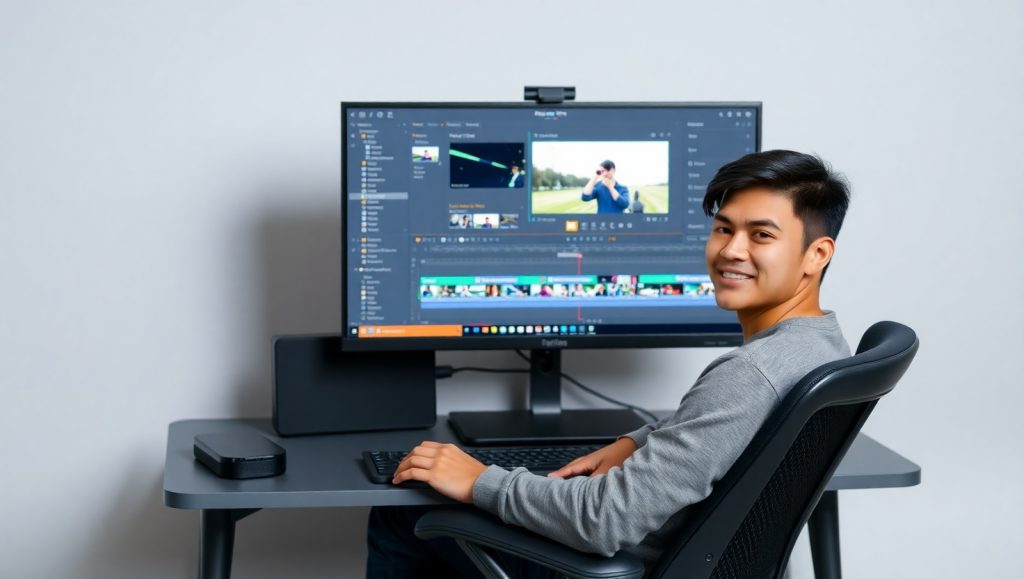
5. Clean Up Your Editing Workspace
Using Premiere?
Enlarge what you use, hide what you don’t. Your workspace should feel sharp, not chaotic.
A messy screen = a messy mind = a messy video.
6. Edit Under 1 Hour
An 8-minute video should take no more than 1 hour — if you’ve got a script, clear footage, and sharp thinking.
Remember: youtube for beginners isn’t about fancy — it’s about speed + clarity.
In Summary:
- Learn one software deeply.
- Write your script with structure.
- Edit with logical rhythm.
- Learn from the best — don’t mimic blindly.
- “Cut without cutting” — that’s editing at its peak.
Lazy editing = no views. Rough cuts = zero growth. Don’t expect results if your videos aren’t polished.
🔥 Get to work. No excuses.
7 Key Editing Reminders (Especially for YouTube Beginners):
- Smooth Transitions Retain Viewers
Avoid jarring cuts. Stitch scenes logically with fades, zooms, or music-timed cuts.

- Background Music Must Match Emotion
Never overpower voiceovers. Choose music that amplifies emotion — suspense, joy, sadness…
First 30 seconds = success or death.
- Use Text Wisely
Don’t spam text. Use it to emphasize key points only.

- Always Script Before You Edit
Editing without structure = lost time and poor results. You need intro – body – outro, clearly.
- Flash Cuts Are a Big NO
Glitchy, jumpy edits will push viewers away fast.
- Avoid “Audio Silence”
When there’s no talking, there MUST be music or sound. Empty audio kills vibe.
- Clean Visual Layout
Don’t clutter your frame with flashy icons or messy effects. For AI-generated videos, always use high-quality visuals and maintain color consistency.

✅ One final truth: viewers don’t care how long you edited — they care how your video feels.
Edit clean. Edit smooth. Edit like you respect your audience.
💥 If you’re serious about YouTube for beginners, apply every tip above and level up today.


Để lại một bình luận